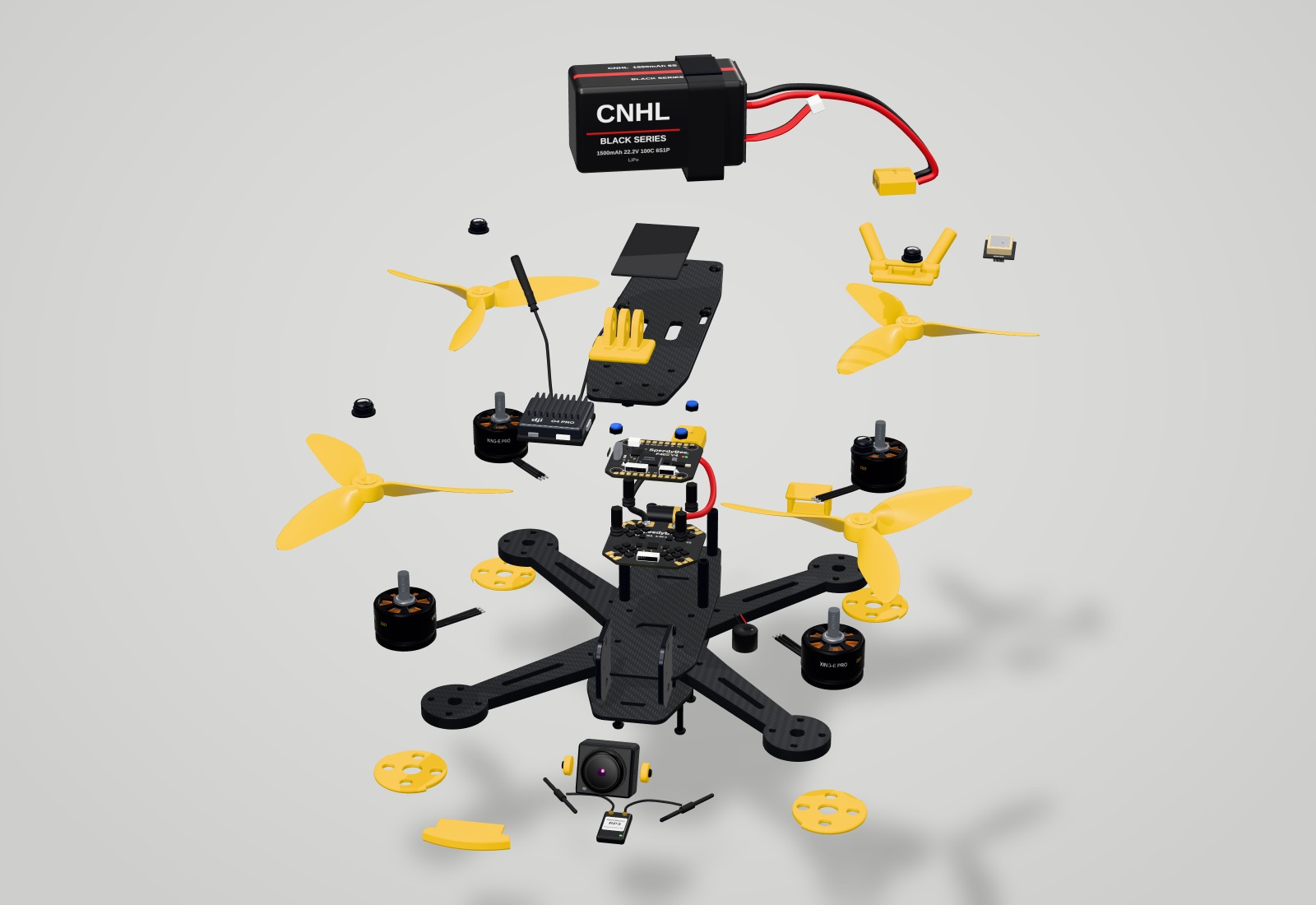
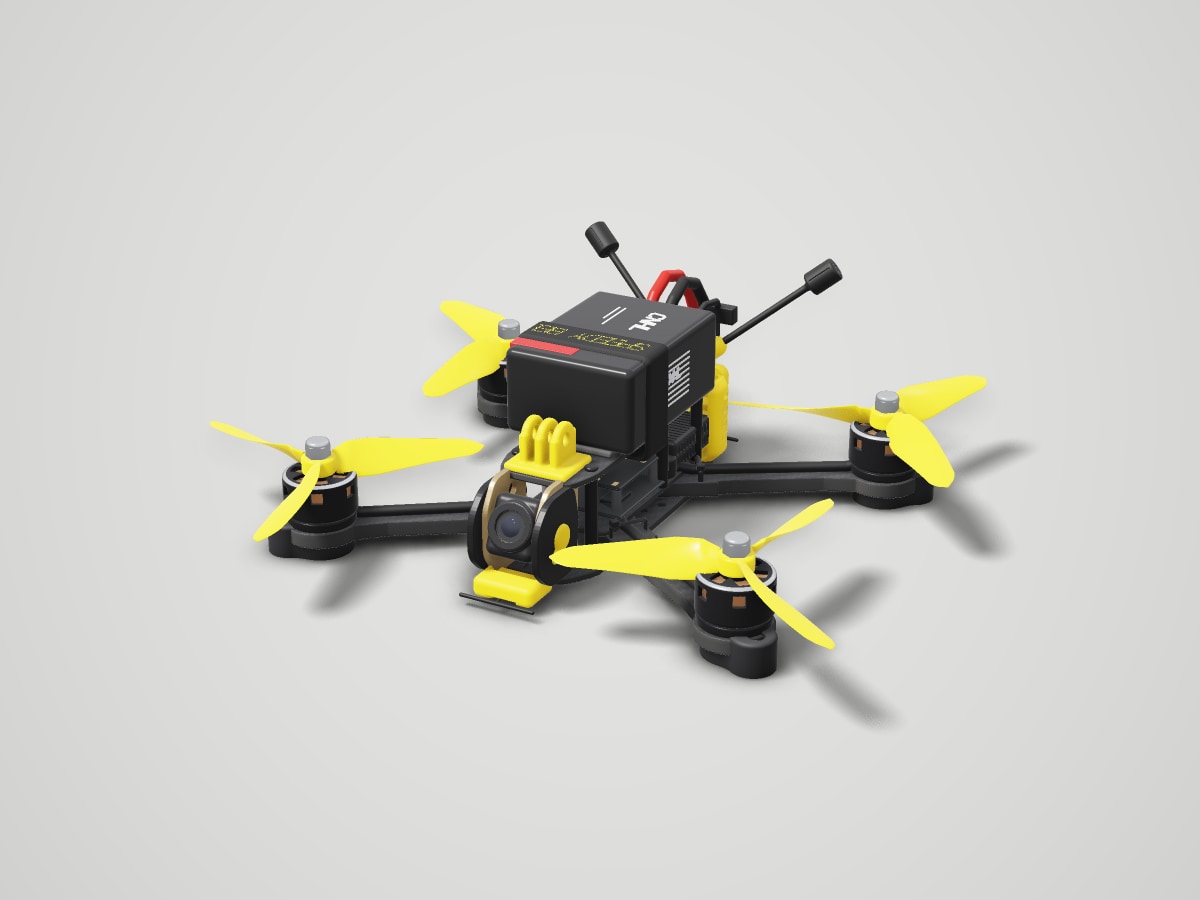
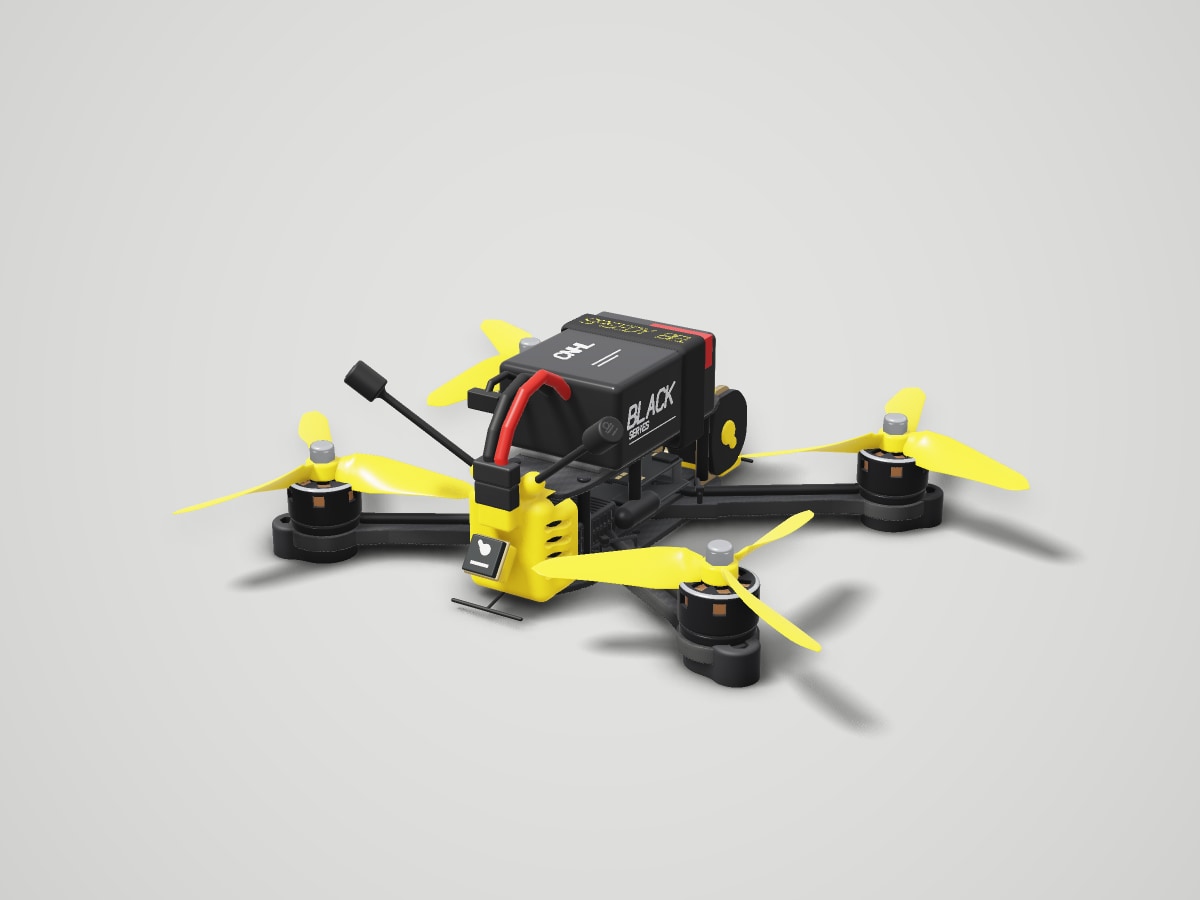
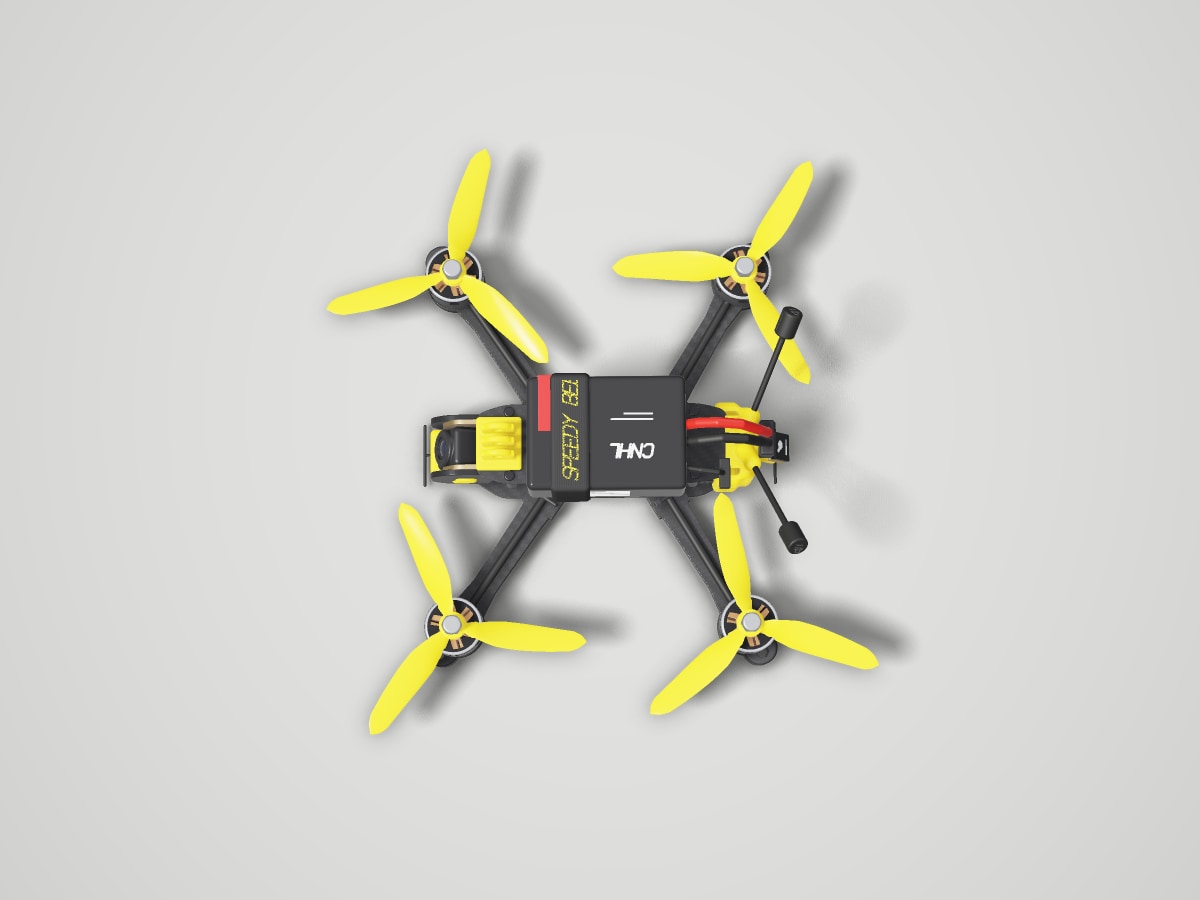
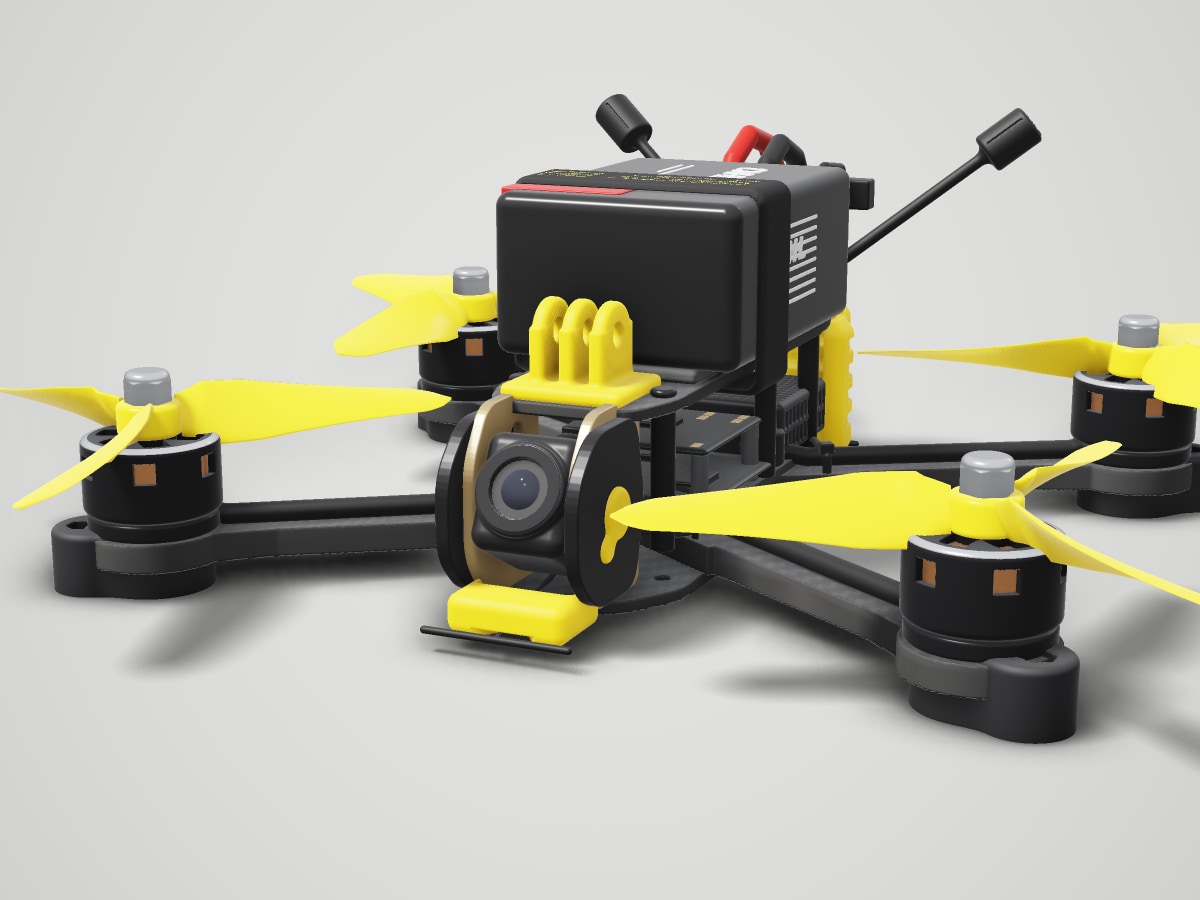
A 5-inch freestyle FPV drone built on a SpeedyBee Mario 5 frame. Four 2207 motors on a 6S battery give it the power for flips and dives, and the DJI O4 Pro camera sends a live HD feed to the goggles while it records 4K at 120 fps. An ExpressLRS diversity receiver keeps the radio link solid, and a GPS and a buzzer help bring it home or find it after a crash.
Hover over a part or its number to see it on its own.
1
FrameSpeedyBee Mario 5 XH O4 Advanced
T300 3K carbon fiber: 6 mm arms, 2.5 mm top and bottom plates, 2 mm middle plate. Aluminum camera cage, 226 mm wheelbase, about 167 g with its printed parts.
2
Motors ×4iFlight XING-E Pro 2207 1800KV
12N14P, 22 mm stator, steel shaft, 33.8 g each. 1800KV is the version made for 6S.
3
Propellers ×45-inch tri-blade, yellow
Diagonal pairs spin the same way, so their torques cancel. The frame takes props up to 5.1 inches.
4
Flight controller + ESCSpeedyBee F405 Mini + BLS 35A Mini V2, 20 × 20 mm
STM32F405 processor, ICM42688P gyro, barometer and Bluetooth setup from a phone. The 4-in-1 ESC gives each motor 35 A continuous.
5
Video transmitterDJI O4 Air Unit Pro
1080p/100fps live view to the goggles, rated up to 15 km. Its two antennas form a V at the back.
6
CameraDJI O4 Pro camera module
1/1.3-inch sensor, records 4K at 120 fps, 155° field of view. It sits in the aluminum cage, tilted up.
7
ReceiverRadioMaster RP3, ExpressLRS 2.4 GHz
Antenna diversity: two 65 mm T-antennas, one under the nose and one under the tail, and it uses whichever hears the radio better. 4.6 g.
8
GPSHGLRC M100 Mini (u-blox M10)
GPS, Galileo and BeiDou. Only 15 × 15 mm and 2.6 g, mounted in the middle of the back and tilted up.
9
BuzzerBeeper
Warns about a low battery and beeps to help find the drone after a crash.
10
BatteryCNHL Black Series 6S 1500 mAh 100C
22.2 V LiPo with an XT60 plug, about 260 g, held on with a strap over a silicone pad.
11
Printed partsYellow and black TPU
Action-camera mount, nose guard, rear mount for the antennas, XT60 and GPS, camera knobs and arm guards. Soft TPU takes the hits instead of the electronics.
1234567891011
How it works
Control. The sticks on the RadioMaster Pocket are sent over ExpressLRS at 2.4 GHz. The RP3 receiver listens with two antennas, one under the nose and one under the tail, and uses whichever hears the radio better, so the link holds when the drone turns or flies behind something.
Stabilization. The F405 flight controller reads its gyro thousands of times per second and works out how fast each motor must spin to follow the sticks. The 4-in-1 ESC turns that into power for the four motors. Diagonal propellers spin the same way, so their torques cancel and the drone holds its heading.
Video. The O4 Pro camera feeds the air unit, which streams live 1080p video to the DJI Goggles Integra with very low delay and records 4K at 120 fps on the drone at the same time.
GPS and buzzer. The M10 GPS gives the flight controller the drone's position, speed and home point, shown on screen in the goggles. With Betaflight's GPS Rescue it can also fly the drone back if the radio link is lost. The buzzer warns about a low battery and beeps after a crash so the drone is easy to find.
Wiring
Every connection, pad by pad. Click or tap the diagram to open it full size and zoom in.
How it’s built
Frame, motors, soldering, stack, camera, antennas, props and battery, in the order they go on.
Software setup
Props stay off until the last card.
1Receiver: update and bind
In ExpressLRS Configurator, flash the radio’s internal module and the RP3 with the same ELRS version and the same binding phrase.
The RP3 updates over USB through the flight controller (Betaflight passthrough), or over WiFi: after 60 s without the radio it opens the ExpressLRS RX network, page 10.0.0.1.
Same phrase: they link on their own and the LED goes solid. Without one: plug the battery in three times, then Bind in the radio’s ExpressLRS menu.
2O4 Pro air unit
Activate it in DJI Assistant 2 (Consumer Drone Series) with the battery plugged in. USB alone is not enough.
Update the Integra goggles and the air unit to the latest firmware.
Link: press the link button on the goggles, then the air unit’s with tweezers. Flashing red, then solid green.
Flight data in the goggles: Betaflight preset “OSD for DJI”, DisplayPort on UART1, OSD format HD.
3Betaflight
Open the Betaflight App (app.betaflight.com) and plug USB-C into the flight controller.
Motors tab, battery through a smoke stopper: check the order M1–M4 and the spin. Reverse any motor that turns the wrong way.
Modes: ARM, ANGLE, BEEPER, GPS Rescue. Failsafe: drop, or GPS Rescue once the GPS has a fix.
4First flight
Receiver tab: each stick moves its own bar, from 1000 to 2000.
Props on, each matching its motor’s spin. Battery strapped tight.
Open field, arm on the ground, first hover in Angle mode.
On the ground
Item
Model
Notes
Goggles
DJI Goggles Integra
Two 1080p micro-OLED screens at up to 100 Hz. The battery is built into the headband. About 410 g.
Radio
RadioMaster Pocket (ELRS)
EdgeTX, Hall-effect gimbals and a built-in ExpressLRS 2.4 GHz module (up to 250 mW). Runs on two 18650 cells, 288 g.
Batteries ×4
CNHL Black Series 6S 1500 mAh 100C
Four packs, so one can charge while another flies.
Charger
Ultra Power UP9
Four channels, up to 5 A each, 1–6S LiPo and LiHV. On mains power the 100 W is shared, so four 6S packs charge at about 25 W each. With a DC supply each port gets 50 W.
More views
Front: camera cage, nose guard and action-camera mount.Back: O4 antennas, XT60 plug and the GPS.Top: the X layout with 5-inch props.Close-up: the O4 Pro camera in its cage.